SaaS Organic Traffic Dropped? A Step-by-Step Diagnostic Checklist

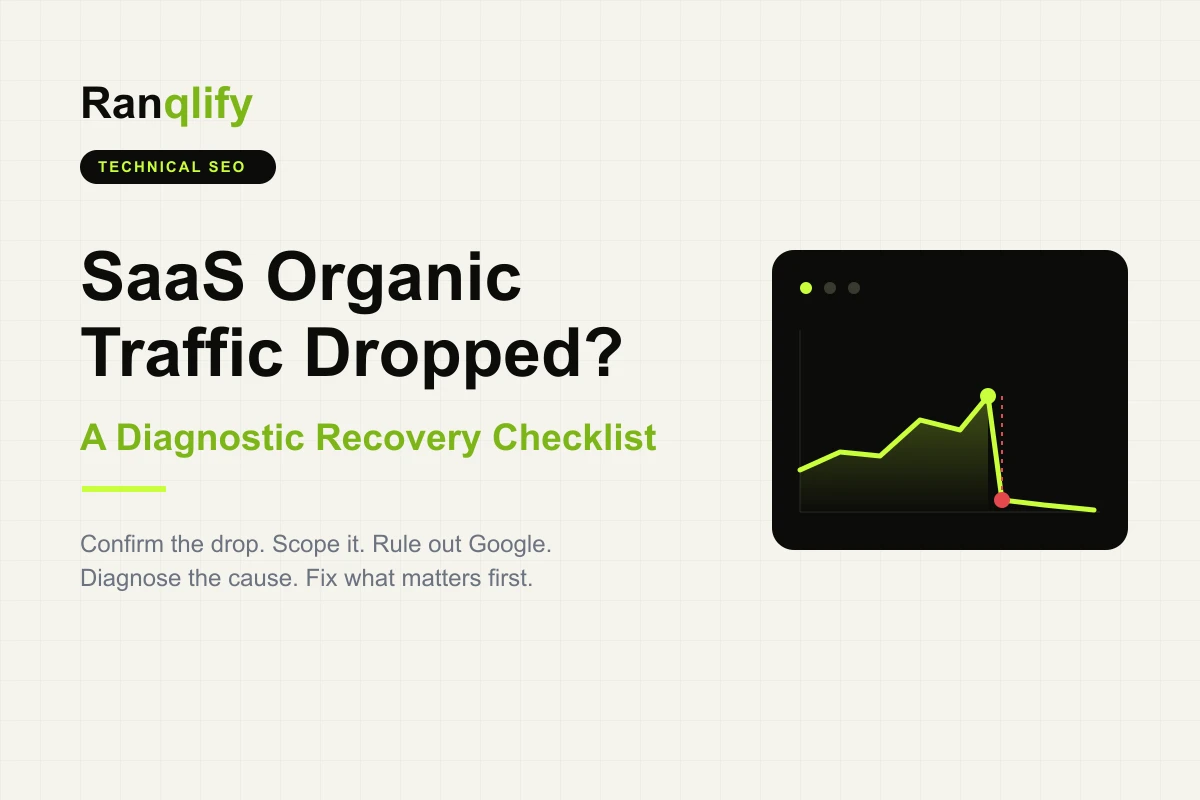
Opening Search Console or GA4 to see an organic traffic graph drop sharply triggers immediate panic. Most marketing teams react by editing homepages, altering meta titles, or hastily publishing blog posts to signal freshness before executive meetings.
This reactive approach often worsens the situation. Modifying site elements without identifying the root cause creates compounding variables, making it impossible to determine which change helped, hindered, or had no effect.
Every traffic drop leaves measurable diagnostic data across Google Search Console, Google Analytics 4, and server logs. This guide provides an ordered diagnostic sequence to isolate and confirm the actual issue before making site edits. Think of it as a troubleshooting flowchart rather than a list of possible causes: each step narrows the investigation until the most likely root cause becomes obvious.
Traffic Dropped Is a Symptom, Not the Diagnosis
Here's the mistake almost every SEO guide lets you make. It hands you a list of ten reasons traffic can drop and lets you pick whichever feels most plausible. A Google update happened last week? Must be that. Heard AI Overviews are eating clicks? Must be that. Competitor launched a big content push? Must be that.
None of those are diagnoses. They're guesses dressed up as explanations, and guessing wastes the one resource you actually have in a traffic drop, which is time. Every day spent acting on the wrong cause is a day the actual cause keeps compounding, whether that's a noindex tag left on live pages or a Core Update reassessing your content quality.
The teams that recover fastest do something unglamorous. They rule things out. They confirm the drop is real, scope where it happened, check what Google was doing at the time, and only then look at their own site. By the time they touch a single page, they already know roughly what they're looking for. That's the difference between diagnosis and reaction, and it's the premise of this guide.
Confirm That Your Organic Traffic Actually Dropped
Verify data integrity to ensure the drop represents actual organic loss rather than reporting errors or seasonal trends.
Compare Year over Year in GA4
Evaluate traffic against the same calendar window from the prior year to rule out predictable seasonal variations. A dip that also happened at the same point last year is seasonality, not a problem.
Analyze Granular Timeframes
Compare week over week and month over month metrics. A single-day drop indicates a technical failure or deployment issue. A gradual multi-week decline points to content decay, technical debt, or competitive shifts.
Segment Branded and Non-Branded Keywords
Filter queries in Google Search Console. Flat branded traffic alongside falling non-branded traffic indicates an SEO ranking issue. A drop across both segments suggests broader brand demand shifts or reduced marketing distribution.
Isolate Geography and Device Types
Segment performance by country and device. Single-region drops often reflect localized algorithmic updates or misconfigured hreflang tags. Device-specific drops typically point to mobile or desktop user experience issues.
Evaluate Page Category Performance
Group metrics by URL path - blog posts, product pages, documentation, or landing pages. Aggregate metrics frequently mask localized damage in specific folders. The point isn't to fix anything yet; it's to walk away with a confirmed, scoped picture: real, started on this date, hitting this segment, sudden or gradual.
Assess the Severity of the Traffic Drop
Not every drop deserves the same response. Reacting to a 6% dip with the same urgency as a 60% collapse burns energy you'll need later, and reacting to a 60% collapse like it's routine noise costs you weeks. Treat the following as general operating bands, not fixed thresholds. A site pulling in a few hundred sessions a month will see bigger percentage swings from normal variance than a site pulling in hundreds of thousands, so weigh the percentage against your actual traffic volume and the time of year before deciding how hard to pull the alarm.
| Drop Size | Typical Response |
|---|---|
| 5% - 15% | Monitor. Log it, check again in a week, don't act yet. |
| 15% - 30% | Investigate. Start the diagnostic sequence in this guide. |
| 30% - 50% | Immediate action. Prioritize confirming the cause this week. |
| 50%+ | Treat as a critical incident and initiate a full technical audit. |
The key message here is simple. Let severity set the pace of your response, not panic. A 10% drop doesn't need an all-hands meeting. A 55% drop does need one, but even then, the meeting should be about running the diagnostic, not about which page to rewrite first.
Identify Where the Traffic Drop Happened
This is the step most guides skip, and it's the one that actually tells you the most. We call this the Ranqlify Location-First Diagnostic, and the principle behind it is straightforward. Where the traffic dropped is often more diagnostic than why, because different parts of a SaaS site fail for structurally different reasons.
Where the traffic dropped is often more diagnostic than why. Map the drop to one or two rows before auditing anything.
Start broad and narrow down.
- Whole site versus specific sections. If every section dropped together on the same day, that points to something sitewide - a deployment, a robots.txt change, a Core Update, or an indexing issue that hit shared templates. If only one section dropped, the cause almost certainly lives inside that section.
- Blog versus product versus feature pages. A blog-only drop often traces back to content quality assessments, a Core Update, or AI Overviews absorbing informational queries. A product or feature page drop is more concerning because those pages are closer to revenue, and it often points to a deployment issue, a redesign that changed URLs, or a messaging change that hurt relevance.
- Documentation and API docs. Docs traffic dropping is easy to miss because most dashboards don't segment it out. A docs-specific drop usually means a restructuring, a subdomain migration, or a version bump that silently deindexed old article URLs.
- Integration and partner pages. These often get orphaned during site redesigns. If internal links pointing to them disappear, so does their crawl priority, and rankings follow.
- Campaign landing pages. These are frequently noindexed by default in page builders, then accidentally left that way after a campaign goes live organically.
- By country, language, and device. A single-country drop suggests a regional ranking shift or an hreflang problem. A single-device drop points to page experience.
- Brand versus non-brand keywords. A non-brand drop concentrated on a handful of pages is far more actionable than a vague sitewide dip.
Map the drop to one or two of these buckets before moving forward. It will save you from auditing the entire site when the actual issue lives in one folder.
Check Google Before You Check Your Website
Rule out external platform issues before editing site assets.
Inspect Google's Search Status Dashboard
Check Google's official record for ongoing indexing or ranking service outages during the drop window.
Track Google Search Ranking Updates
Cross-reference drop dates with official Core Update, spam update, or systems rollouts on the Google Search ranking updates list. Core updates roll out over two to four weeks, during which metrics fluctuate continuously.
Review Manual Actions and Security Reports
Check Google Search Console for manual penalties or security warnings like malware or hacked-content flags. A manual action is a documented penalty that changes the entire recovery path, so rule it out early.
Check Search Console Messages
Review official notifications sent directly to your property for explicit system warnings. These often contain the actual explanation and get missed because nobody checks the message center during a crisis. If none of this turns anything up, that's useful too - it means the cause is almost certainly on your side, which narrows the investigation considerably.
| Symptom | Common Causes |
|---|---|
| Rankings down | Core Updates, stronger competitors |
| Impressions down | Indexing issues, crawl problems |
| Clicks down | AI Overviews, SERP changes |
| Product pages down | Deployment, internal linking |
| Documentation down | Migration, deindexing |
| Mobile down | UX, rendering issues |
| One country down | hreflang, regional ranking |
The Most Common Reasons SaaS Organic Traffic Drops
Once you've confirmed the drop, scoped its location, and ruled out anything on Google's end, work through these causes. For each one, check the symptom against what you already found in the earlier steps. Most symptoms have more than one possible cause, so treat these as starting points, not verdicts.
- Algorithm updates. Google systems reassessed sitewide content quality and relevance standards. Symptom: gradual ranking erosion across multiple templates during rollout windows. Focus on sitewide content depth and user experience rather than superficial technical fixes.
- Technical deployments. A routine release shipped a change affecting crawlability or rendering. Symptoms: sudden drop timed to a deploy. Diff the deployed templates for anything touching meta tags, canonical logic, or robots directives.
- Site migrations. A domain change, CMS switch, or URL overhaul without a full redirect map. Symptoms: sharp drop concentrated on old URLs. Build a complete 301 redirect map from old to new URLs.
- Robots.txt changes. A new disallow rule accidentally blocks crawlers. Confirm against the previous version in version control, then remove the rule and request recrawling.
- Noindex mistakes. A staging noindex tag shipped to production. Symptoms: pages drop out of search entirely, not just in ranking. Confirm with URL Inspection, remove the tag, resubmit.
- Canonical issues. Canonical tags point to the wrong URL, consolidating signals away from the page you want ranked. Confirm via the "Google-selected canonical" field in URL Inspection.
- JavaScript rendering problems. Content that depends on client-side rendering fails for Googlebot. Symptoms: pages index but rank poorly despite content being visible to humans. This is a core part of technical SEO for SaaS. Move critical content to server-side or pre-rendered output.
- Internal linking changes. A nav or footer cleanup removed links that pages relied on for authority. Confirm using the Links report and restore links from high-authority pages.
- Deleted product pages. Deprecated features or old pricing tiers removed without redirects. Cross-reference removed URLs against the "Not found (404)" category and redirect to the closest live equivalent.
- Documentation restructuring. Docs reorganized under a new URL scheme, often during a version bump. Redirect old article URLs to their new locations.
- AI Overviews reducing CTR. Google displays direct generative answers above traditional organic listings. Symptom: stable keyword rankings alongside declining organic clicks and impressions. Seer Interactive's longitudinal study found organic CTR on AI Overview queries fell from 1.76% to 0.61% - a 65% decline - over a 15-month period, before rebounding to 2.4% by February 2026 as user behavior adapted. This is one of the few situations where rankings can remain stable while traffic declines, which is why clicks, impressions, and average position should always be reviewed together. It isn't a technical fix - it calls for AEO for SaaS work (formatting content to earn AI Overview citations) while shifting emphasis toward high-intent transactional terms.
- Stronger competitors. A competitor shipped better content or a stronger backlink profile. Symptoms: gradual position slippage rather than a sudden cliff. Run a content and backlink gap analysis against the pages that outranked you.
Diagnose the Drop Using Google Search Console
Search Console is the single most useful tool for this entire process, but most teams only glance at the Performance graph. Each report is built to answer a specific question.
- Performance report. Separate clicks, impressions, CTR, and average position. If impressions and position are flat but clicks fell, look at CTR causes like AI Overviews or a SERP feature change, not a ranking issue.
- Pages report. Confirm the page-level scope from earlier. A handful of URLs losing most of their clicks tells a very different story than a broad decline.
- Queries report. Compare the query mix before and after the drop. If the queries themselves shifted, that suggests a content relevance or intent-matching issue rather than a technical one.
- Countries and Devices reports. Isolate whether the drop is global or regional, mobile or desktop - one of the fastest ways to spot a page experience regression that only affects one environment.
- Search Appearance report. Shows whether rich results, sitelinks, or other enhancements disappeared. Losing a rich result can explain a CTR drop even when position hasn't moved.
- Indexing report. Catch noindex, canonical, and crawl errors at scale. A sudden spike in "Excluded by noindex tag" or "Alternate page with proper canonical tag" often points directly to a technical cause.
Working through these reports in order, from aggregate performance down to specific pages and specific technical exclusions, should get you from "traffic dropped" to "here's specifically what changed" without needing anyone else in the room.
SaaS-Specific SEO Checks Most Teams Miss
Generic SEO guides are written for content sites and blogs. SaaS products have surfaces that don't exist on a typical marketing site, and these are exactly what most audits skip.
- Documentation. A version bump or a move to a new docs platform can quietly deindex hundreds of help articles that used to rank for long-tail support queries - and because docs traffic rarely shows up in marketing dashboards, nobody notices for weeks.
- API docs. These often live on a separate subdomain with their own crawl behavior. A subdomain migration or new developer portal can break indexing entirely without touching your main site.
- Integration and partnership pages. Orphaned constantly during redesigns. Once internal links disappear, so does the crawl priority that kept them ranking for product-plus-integration searches.
- Pricing pages. URLs change more than teams realize, especially when tiers get renamed. Old pricing URLs left unredirected lose both traffic and conversion intent.
- Programmatic pages. Templated pages built at scale are efficient until a template change introduces thin content or broken canonical logic across every page at once.
- Template libraries and workspace URLs. User-generated URLs never meant to be indexed can, if crawlable at scale, dilute indexation and compete for crawl budget.
- International pages. Locale pages are prone to hreflang misconfiguration, serving the wrong language to the wrong audience and showing up as a one-country drop.
- Recent feature launch pages. Built fast, they often skip basic SEO hygiene like internal linking and unique meta tags, so they underperform from day one and get mistaken for a drop when they never actually ranked.
The message across all of these is the same. SaaS SEO risk is structurally different from content-site SEO risk, because the failure points sit in the product itself, not just the blog. That's also why this ties back to building pages around how SaaS buyers actually search.
Prioritize the Recovery
Once you know what caused the drop, resist the urge to fix whatever's easiest first. Prioritize by business impact and how likely each fix is to actually move traffic back, not by convenience.
- Critical. Anything actively blocking indexing or costing revenue-adjacent traffic right now - a noindex tag on pricing pages, a broken redirect on a high-traffic product page. Fix these today.
- High. Issues with a clear, confirmed cause and strong recovery likelihood - restoring internal links to orphaned integration pages, fixing a canonical error on a cluster of pages.
- Medium. Issues that matter but where recovery is slower or less certain, like content quality improvements in response to a Core Update.
- Low. Everything else worth doing eventually but with limited traffic impact, like minor metadata cleanup on low-traffic pages.
How Long Does Organic Traffic Recovery Take
Recovery timelines vary enormously depending on the underlying cause, because each one requires a different amount of work from Google's systems to recrawl, reprocess, and in some cases rebuild trust signals about your site.
| Cause | Typical Recovery Window |
|---|---|
| Tracking or reporting issue | Immediate once corrected - nothing changed on Google's end |
| Technical issue (canonical, robots.txt) | Days to a few weeks, pending recrawl |
| Indexing issue (noindex, deindexed pages) | Weeks, depending on crawl frequency |
| Core Update impact | Weeks to months, tied to the update's rollout and future updates |
| Site migration | Often several months for full signal transfer |
Recovery begins only after Google recrawls and reprocesses the affected pages, so even the correct fix may take time to appear in Search Console. A tracking fix recovers fast because nothing about how Google sees your site actually changed, only your visibility into it. A Core Update impact takes longer because confirming that a site is now producing what Google's systems consider helpful, reliable content can take months, and sometimes the visible change won't happen until the next update rolls out. Migrations sit at the slow end because Google has to re-establish trust in the new URL structure from scratch.
Prevent Future Traffic Drops
Diagnosing a drop after it happens is necessary. Building the habits that catch problems before they become drops is what actually saves you the next panic.
- Set up ongoing SEO monitoring with weekly or biweekly Search Console checks, not just monthly reporting. Drops caught in week one are dramatically easier to fix than drops caught in week four.
- Run technical health checks on a regular cadence - crawlability, indexation, Core Web Vitals, and broken links - rather than only auditing when something feels wrong.
- Add SEO checks to your deployment QA. Before any release ships, confirm meta robots tags, canonical logic, and redirect rules haven't changed unintentionally.
- Keep a change log of everything that touches site structure - migrations, redesigns, major content restructuring - with dates. When a drop happens, this turns the investigation into a five-minute lookup.
- Run a monthly SEO audit covering indexation, internal linking health, and content performance trends, so decay gets caught before it compounds.
- Add AI visibility monitoring - whether your content is cited in AI Overviews for the queries that matter - since this is quickly becoming as important as traditional rank tracking.
- Turn on Search Console email alerts for manual actions, security issues, and indexing anomalies, so you're not relying on someone remembering to check.
The teams that avoid repeat panic are the ones who treat this as ongoing infrastructure, not a one-time fire drill.
The 30-Minute SaaS Traffic Drop Checklist
Everything below has already been explained in this guide. Use this as a scannable reference during a real investigation - print it and keep it beside you.
- Confirm the drop is real (YoY, MoM, branded vs non-branded)
- Check severity against traffic volume, not just percentage
- Identify where the drop happened (section, country, device, brand vs non-brand)
- Check Google's Search Status Dashboard
- Check the Google Search ranking updates list for recent rollouts
- Check Search Console for manual actions and security issues
- Check Search Console messages
- Review the Performance report for a clicks-only vs rankings issue
- Review the Pages report for URL-level concentration
- Review the Queries report for shifts in query mix
- Review the Indexing report for noindex or canonical exclusions
- Check robots.txt against the last known good version
- Check for recent deployments around the drop date
- Check documentation and API docs for restructuring or subdomain issues
- Check integration, partnership, and pricing pages for orphaned links
- Check whether affected queries now trigger AI Overviews
- Check impressions versus clicks for a CTR-only pattern
- Check ranking positions for actual movement versus stable position
When Is It Time for a Technical SEO Audit
Self-diagnosis works for most drops, especially the ones with a single, clear cause. It stops being enough in a few specific situations.
- The drop is sitewide and none of the checks in this guide isolate a clear cause - there may be an interaction between multiple issues that needs a systematic crawl and log-file analysis.
- Product or documentation pages are vanishing from search entirely, not just losing position - the underlying indexing issue is often more complex than a single noindex tag.
- A migration is involved and traffic hasn't stabilized within the expected window - likely an incomplete redirect map or a signal-transfer issue.
- You've found multiple overlapping causes - a Core Update near a deployment near a content restructuring - and untangling which one is responsible needs more rigorous testing than one team usually has bandwidth for.
And if your internal team has worked through this entire guide and still can't isolate the issue, that's not a failure. It's a signal that the problem is deep enough to need a dedicated audit. If you're at that point, our enterprise SaaS SEO service includes a full technical diagnostic built specifically around this kind of investigation - product surfaces, documentation, and all.
Frequently Asked Questions
- A traffic drop is a symptom - confirm and scope it before you touch a single page
- Where the drop happened is often more diagnostic than why (Location-First Diagnostic)
- Rule out Google's side (updates, manual actions, security) before auditing your own site
- Rankings can hold steady while clicks fall - review clicks, impressions, and position together
- SaaS-specific surfaces (docs, API docs, integrations, pricing) fail in ways generic audits miss
- Prioritize fixes by business impact, and expect recovery only after Google recrawls